Deep OBD2 diagnostics for the 3rd-generation Toyota Prius
Connect your Android phone to your Prius with a Bluetooth OBD2 adapter and read live data straight from the car's own computers — high-voltage battery health, motor-generators, inverters, the petrol engine, wheel sensors and more — grouped into screens that actually make sense to watch together.
PriusSpy talks to your car through the standard OBD2 diagnostic port, located under the steering wheel. It is designed for the non plug-in 3rd-generation Prius (ZVW3#, roughly 2009–2015, with the NiMH battery) and may partly work on other Prius versions.
Plug an ELM327-compatible Bluetooth OBD2 adapter into the OBD2 port under the steering wheel. The app works well with the Viecar 4.0 and iCar dongles and many — but not all — cheap ELM327 minis. Avoid Wi-Fi-only adapters.
With the dongle plugged in and the car switched on, pair the adapter in your Android Bluetooth settings. It usually appears as ELM327, Viecar or iCar.
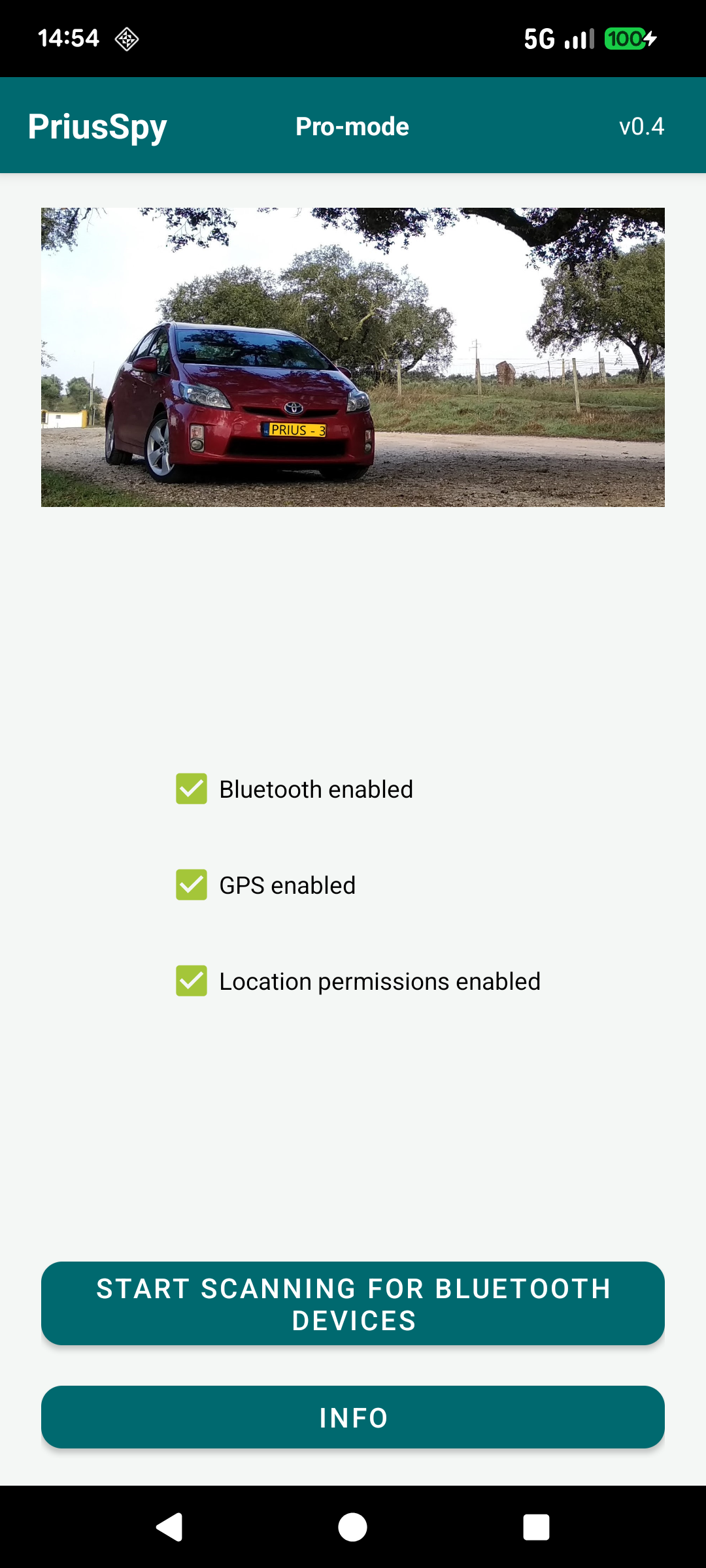
Open PriusSpy, tap Start Scanning for Bluetooth devices and pick your adapter from the list. The app connects, initialises the dongle and drops you on the main menu.
Not sure your dongle is good enough? PriusSpy includes a built-in OBD2 dongle compatibility check (always free) that tests whether your adapter can reach each of the five relevant control units in the Prius — so if a screen shows no data later, you'll know whether the dongle is the reason.
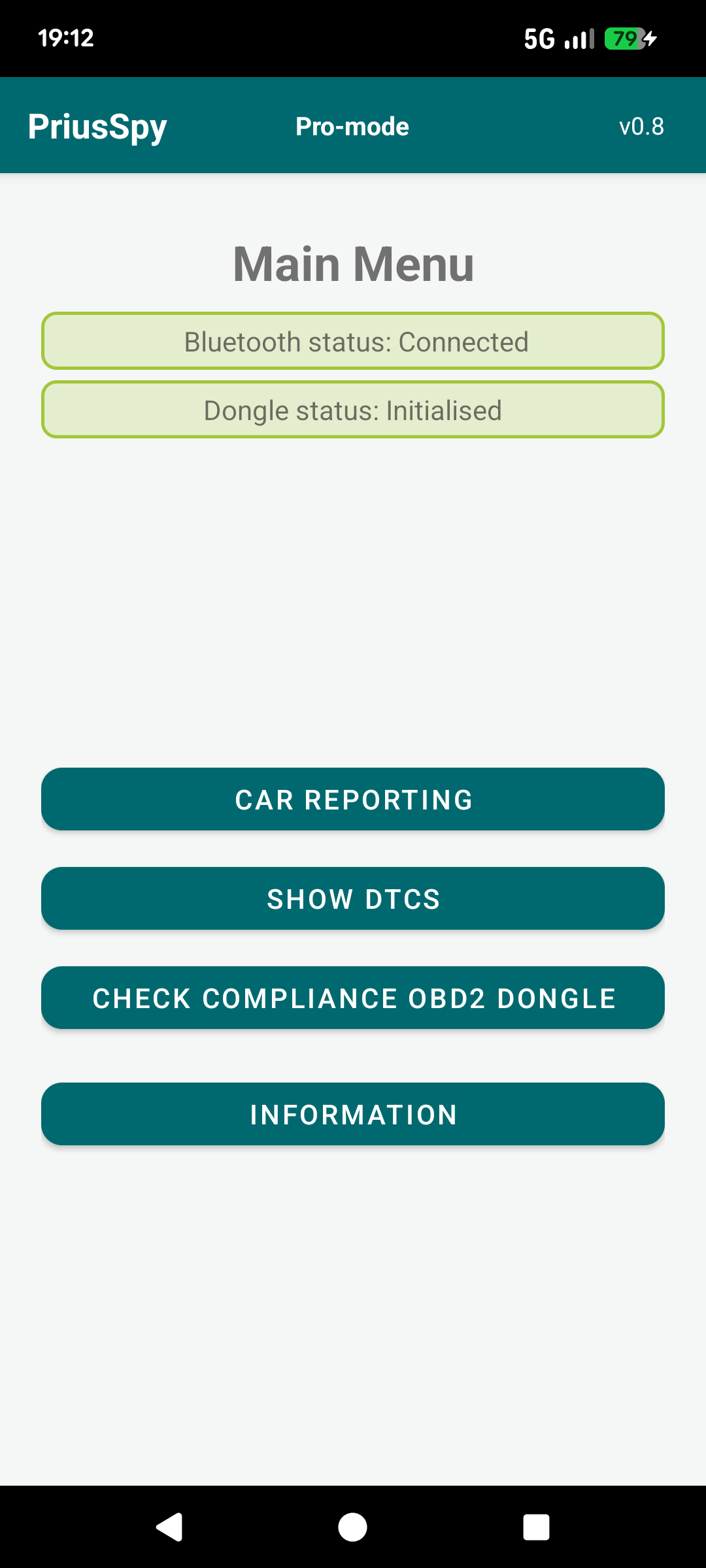
From the main menu you reach three areas: Car Reporting (all the live data screens below), Show DTCs (read the trouble codes stored in the car) and the Check compliance OBD2 dongle test. The reporting menu groups the data into focused screens, each showing a handful of parameters that make sense to watch together.

The reporting list covers general car information, the high-voltage battery (status, block voltages, resistances, total volts & amps), the 12 V auxiliary battery, the petrol engine and its misfire data, the two motor-generators, the inverters and the wheel-speed sensors.
Each screen updates live while you drive, so you can watch the car work in real time.
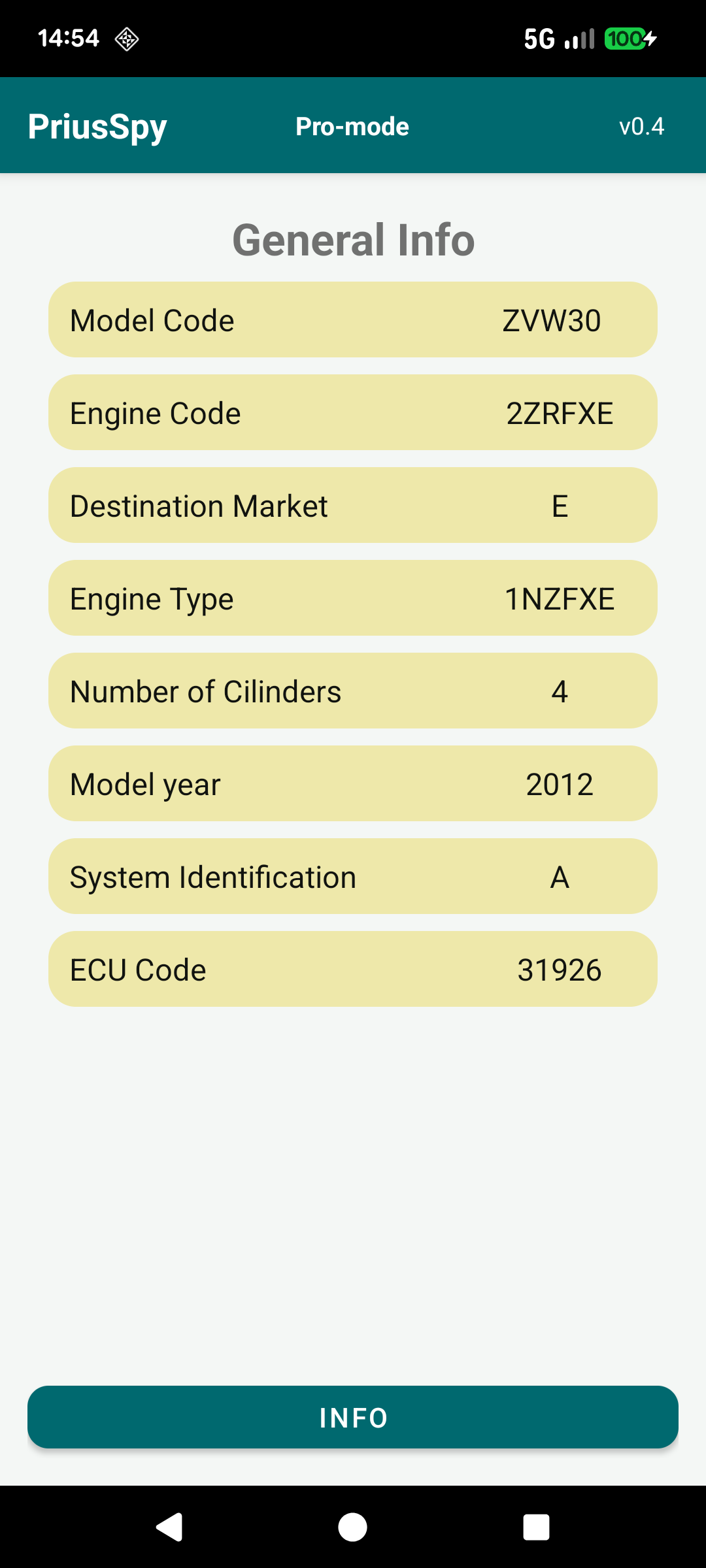
Identifies the car the app is talking to: the model code, engine code and engine type, number of cylinders, model year, destination market and the ECU / system identification — plus a count of any current and stored trouble codes.
It is a quick way to confirm the dongle is reaching the right control units and to read off the basic identity of your Prius straight from its own memory.
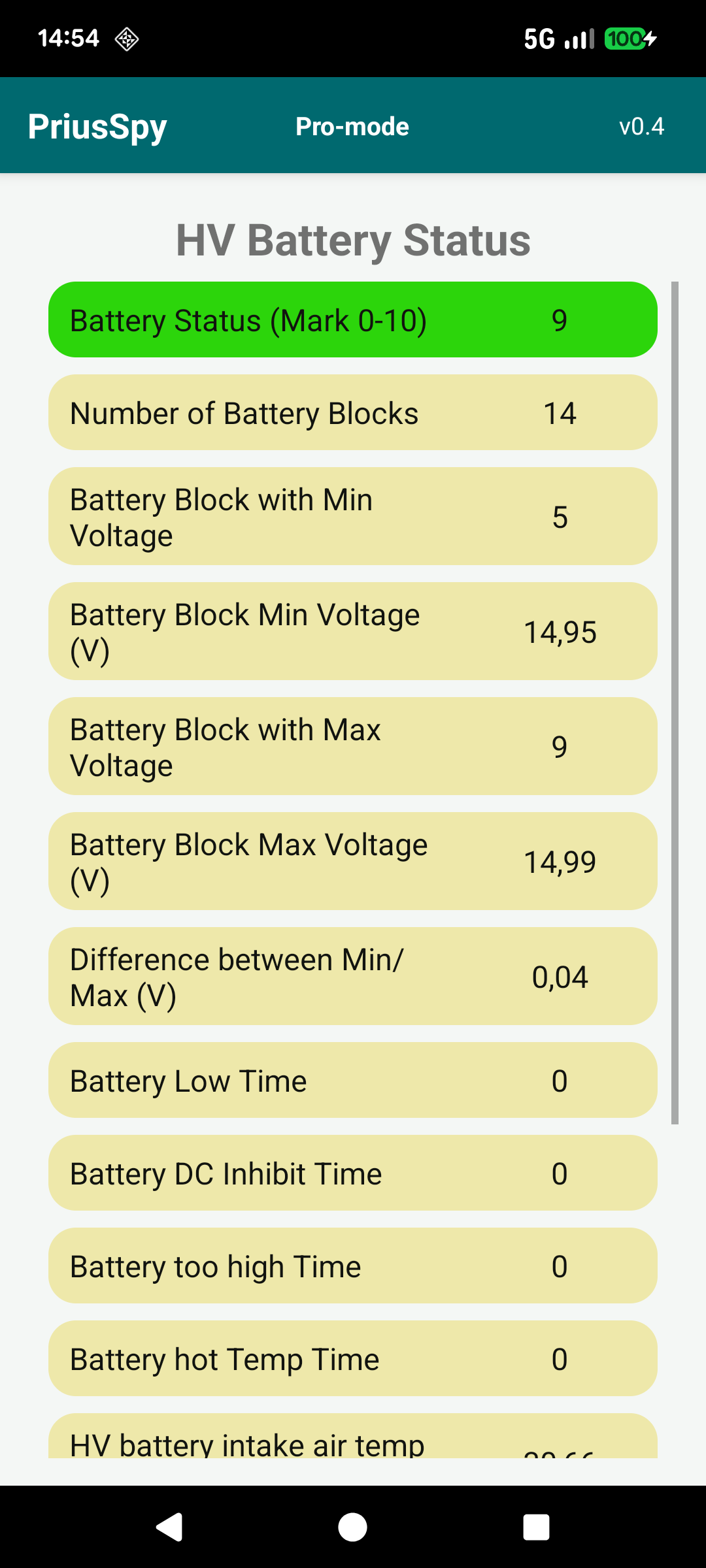
The single most useful health screen for the high‑voltage NiMH pack. It derives an overall battery mark (0–10) from the spread between the weakest and strongest block, and shows the minimum and maximum block voltages, which block is weakest and strongest, the difference between them, the three internal temperature sensors and the live battery current.
A small min/max difference means a healthy, balanced pack; a widening gap is the classic early warning of an ageing module long before a dashboard light appears.
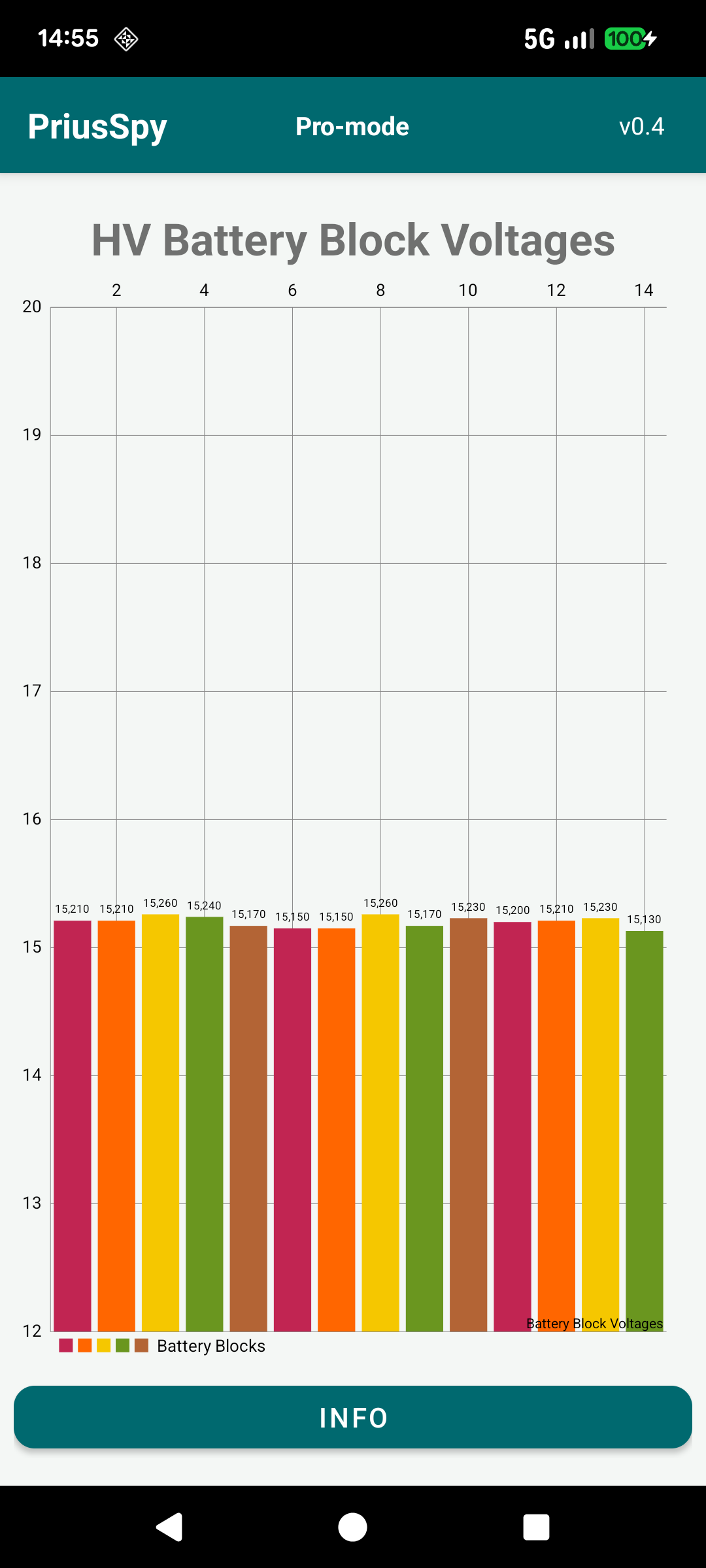
A live bar chart of all 14 battery block voltages at once, so an outlier jumps out immediately.
Watching the bars while accelerating and during regenerative braking shows how evenly the pack delivers and absorbs power — a block that consistently sits lower than the rest is the one to keep an eye on.
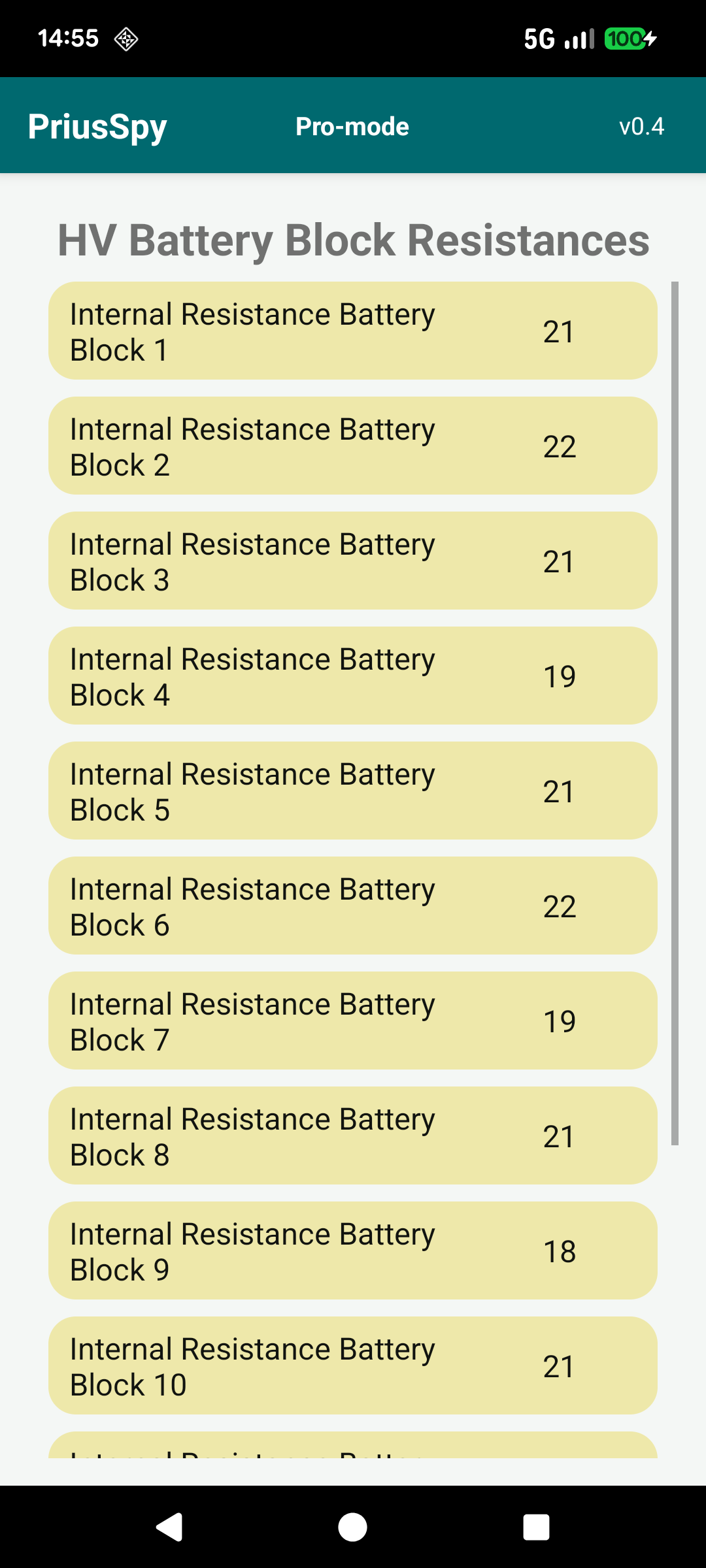
The internal resistance of each of the 14 blocks. Resistance rises as a block ages: a block reading noticeably higher than its neighbours runs hotter, sags more under load and is usually the first to fail.
Together with the voltage screen this is an excellent way to track the condition of your pack over months and years.
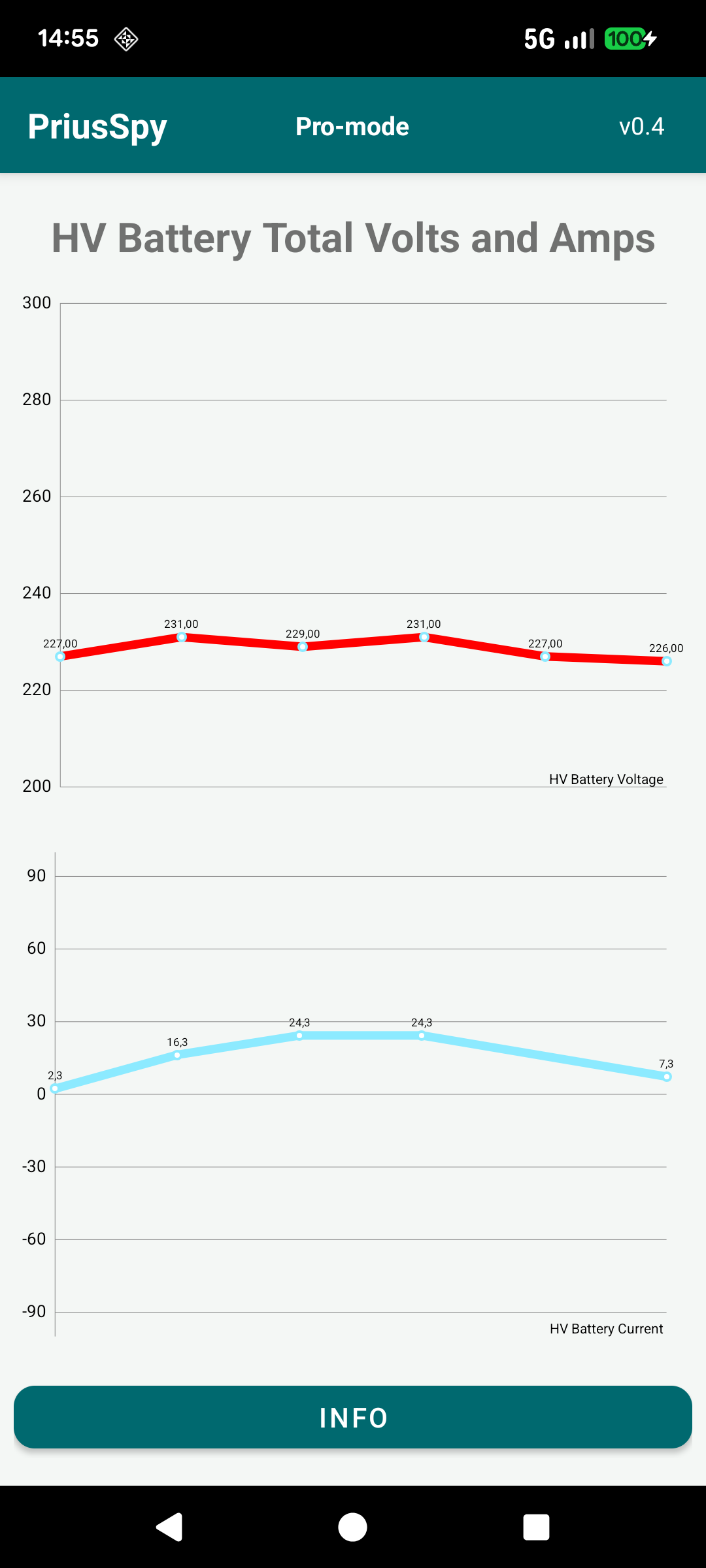
Two live graphs side by side: the total pack voltage and the pack current over time.
Watch the voltage sag under hard acceleration and rise during regen, and see exactly how many amps are flowing into and out of the battery as you drive.
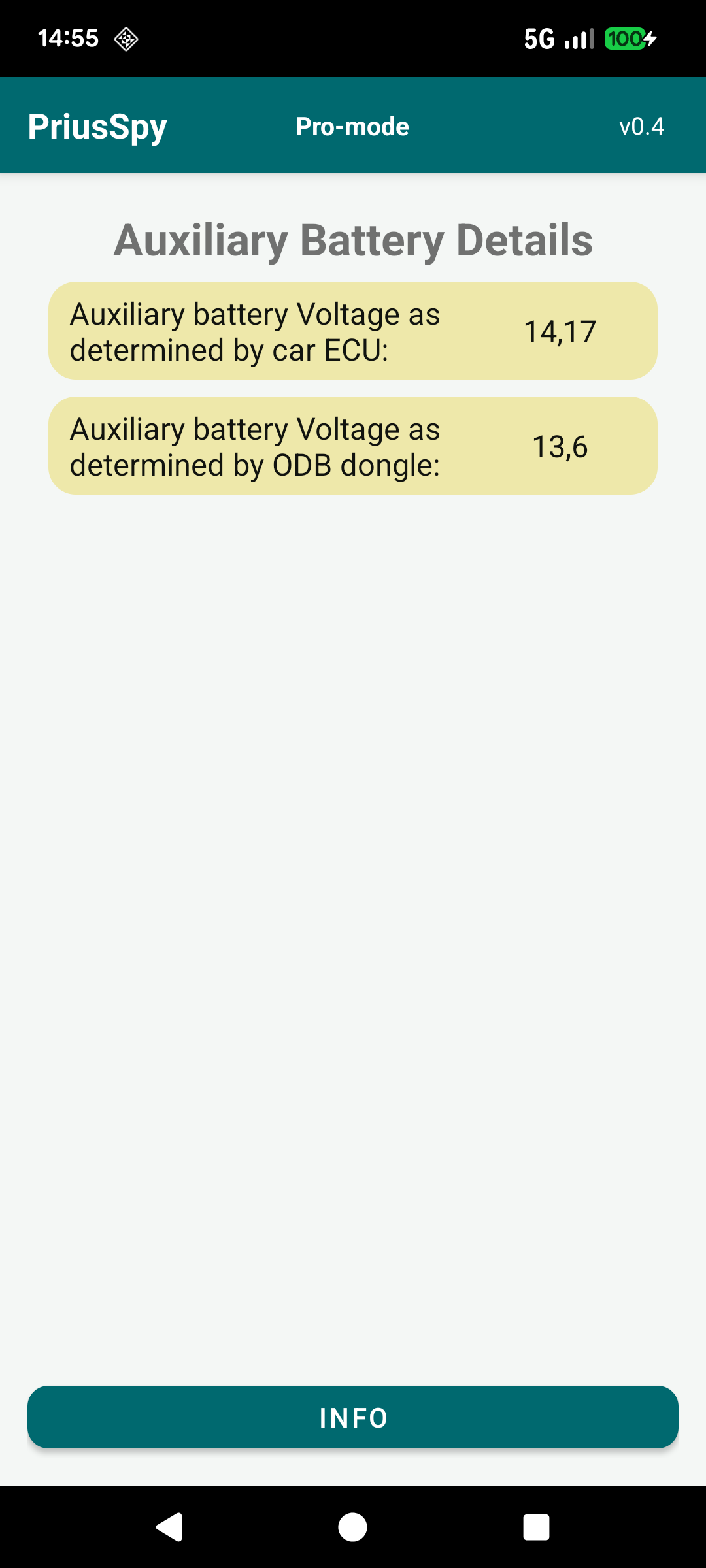
The 12 V auxiliary battery is one of the most common reasons a Prius won't “power on”. This screen shows its voltage two ways — as measured by the car's ECU and by the OBD dongle itself — so you can cross‑check both readings.
Expect roughly 12.6 V at rest and 13.6–14.4 V when the car is Ready and charging it. A reading drifting below about 12 V is an early warning worth acting on before a no‑start.
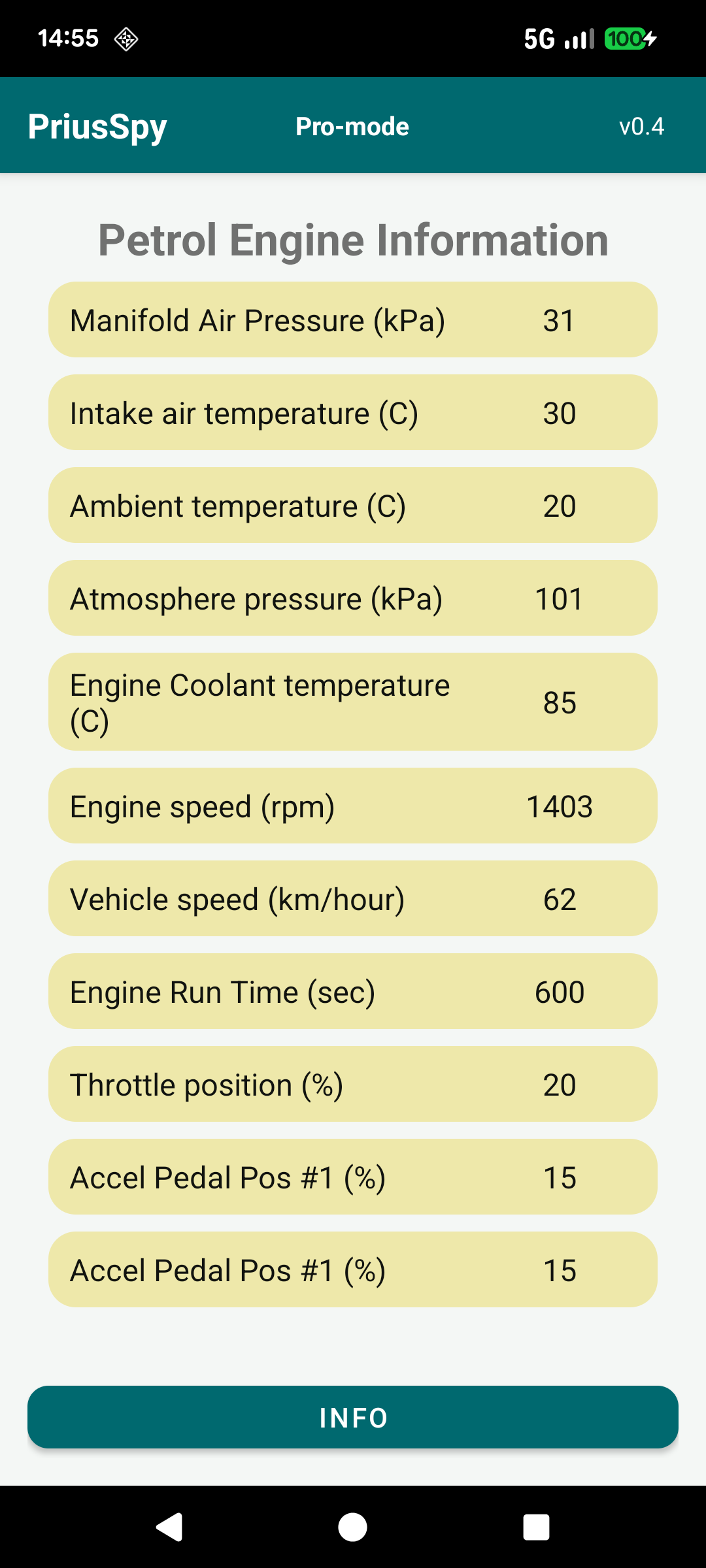
Live data from the 1.8 L Atkinson‑cycle petrol engine: calculated and absolute load, mass air flow, manifold and atmospheric pressure, intake / ambient / coolant temperatures, engine speed, vehicle speed, run time, throttle position and accelerator pedal position.
Because the hybrid system stops and starts the engine constantly, this screen is a fascinating window into when, and how hard, the petrol engine actually runs.
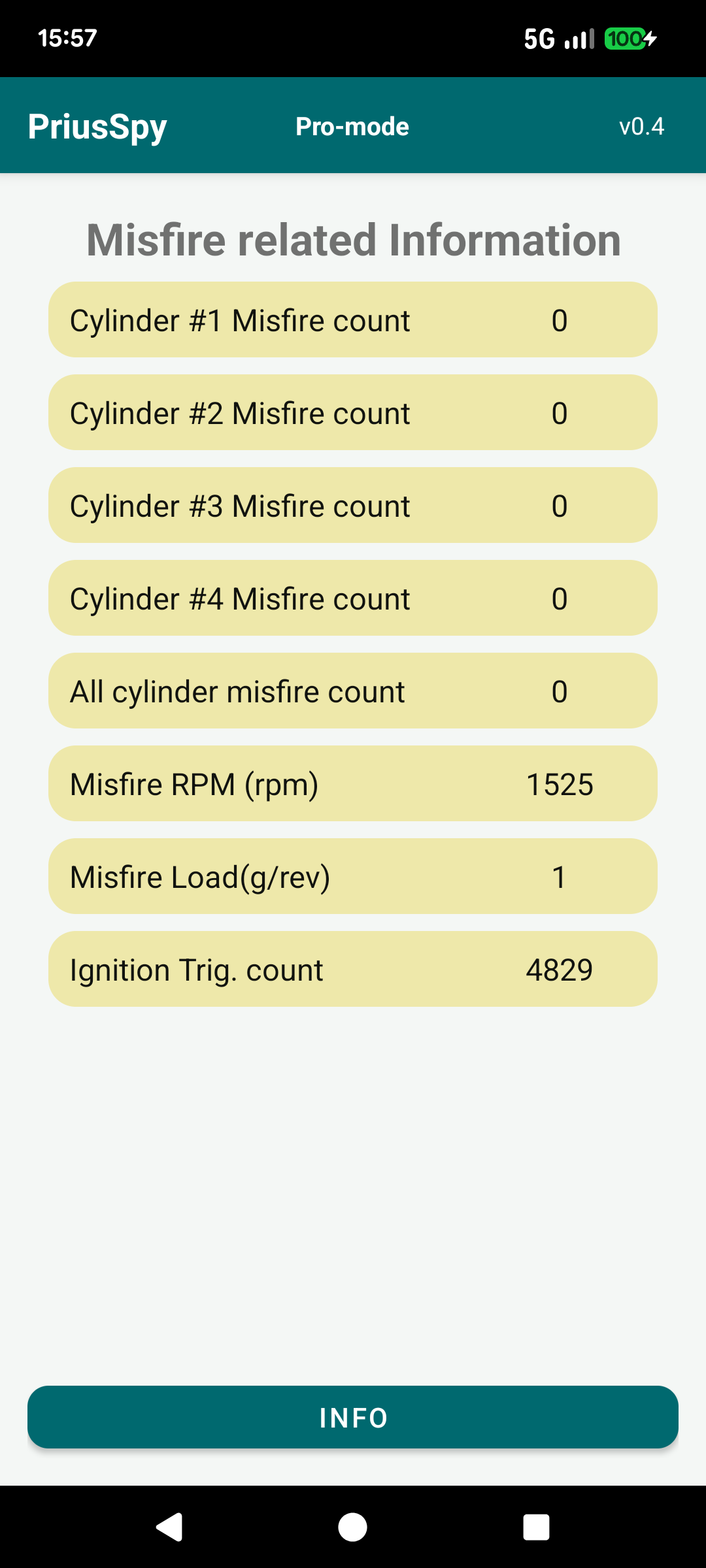
Per‑cylinder misfire counts plus the all‑cylinder total, the RPM and load at which misfires were detected, and the ignition trigger count.
On a healthy engine the counts stay at zero. One cylinder creeping up points to a problem specific to that cylinder — typically its ignition coil, spark plug or fuel injector.
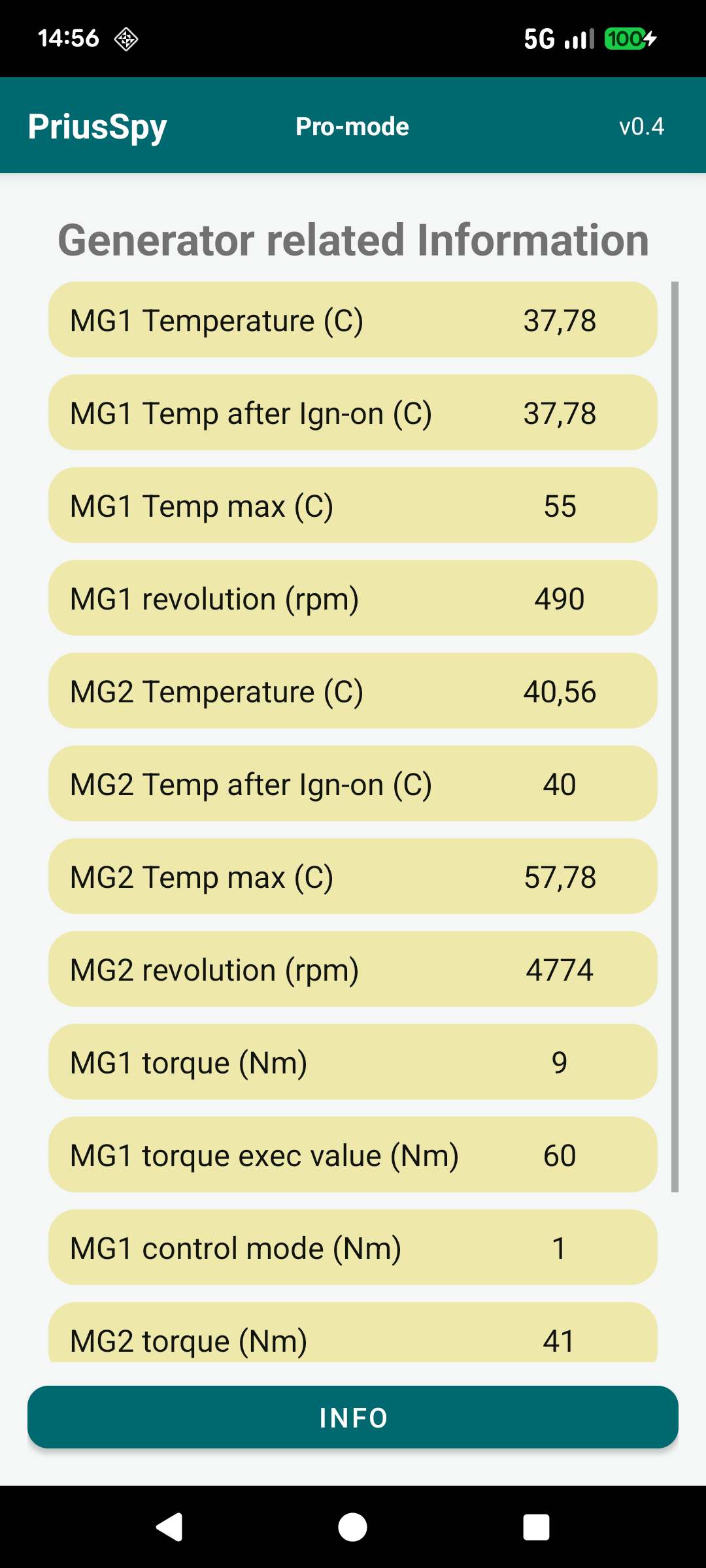
Detailed data on the two motor‑generators: winding temperatures (current, since ignition‑on and peak), rotational speed and produced / executed torque with the control mode.
MG1 mainly acts as a generator and starts the engine; MG2 mainly drives the wheels and recovers energy under braking. The app derates power if either gets too hot, and now you can watch it happen.
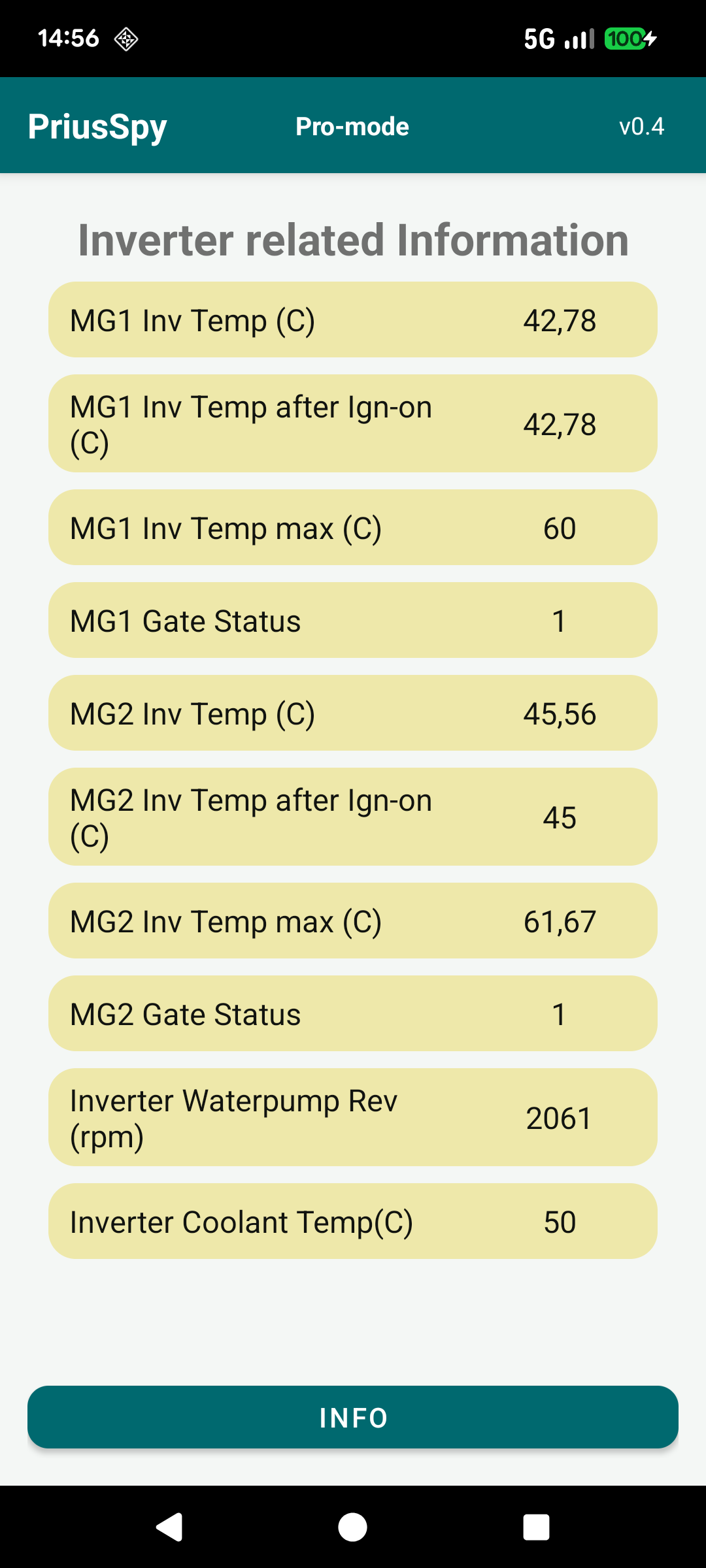
Temperatures of the MG1 and MG2 inverter power electronics (current, since ignition and peak), the gate status of each, the inverter cooling‑loop water‑pump speed and the coolant temperature.
The inverters run hot and have their own liquid‑cooling circuit, separate from the engine. A pump stuck at zero rpm while things are warm is a genuine warning sign.
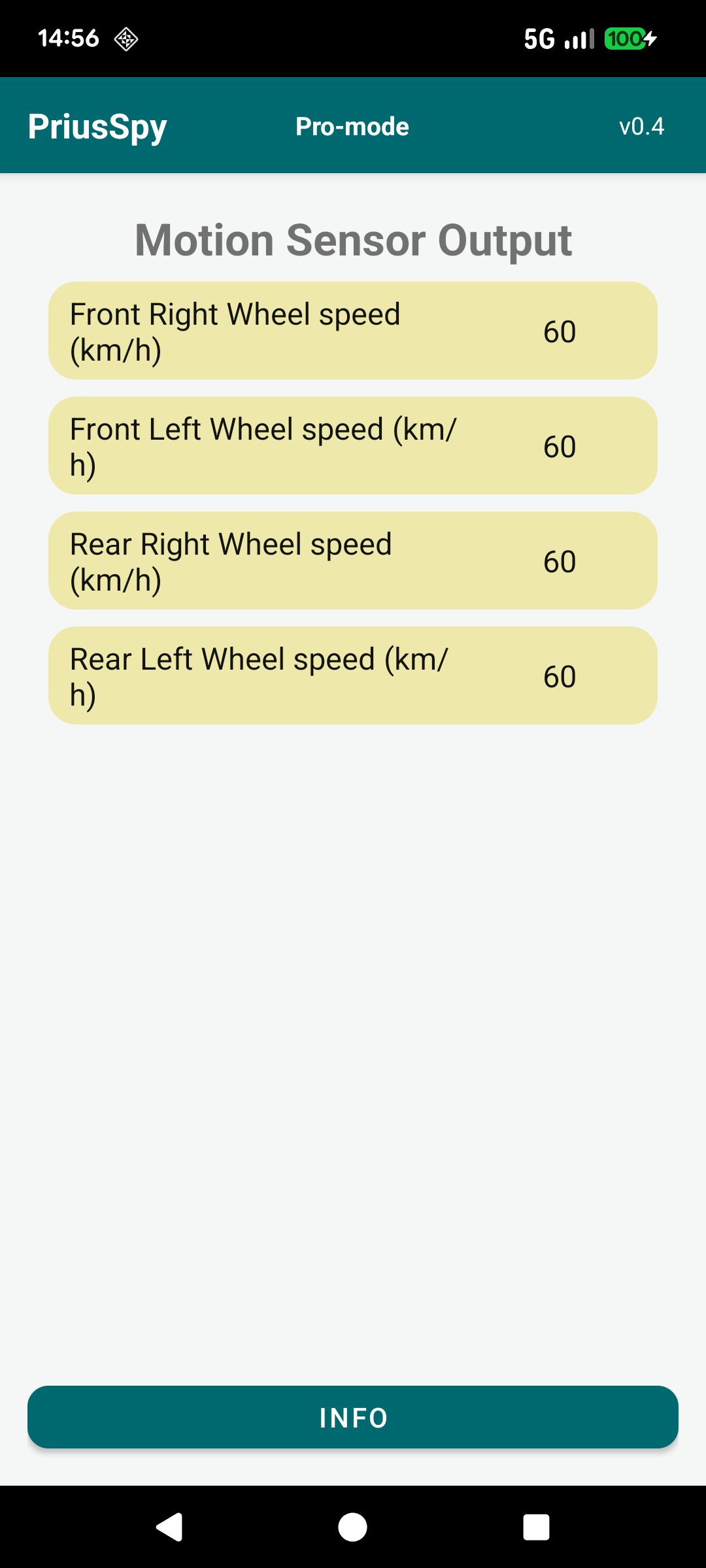
The individual speed of all four wheels, read from the stability‑control / ABS system.
On a straight, dry road they should read almost the same. Differences are normal in corners (the outer wheels travel further) or during wheelspin, while a persistent offset on one wheel hints at a sensor or tyre‑size issue.
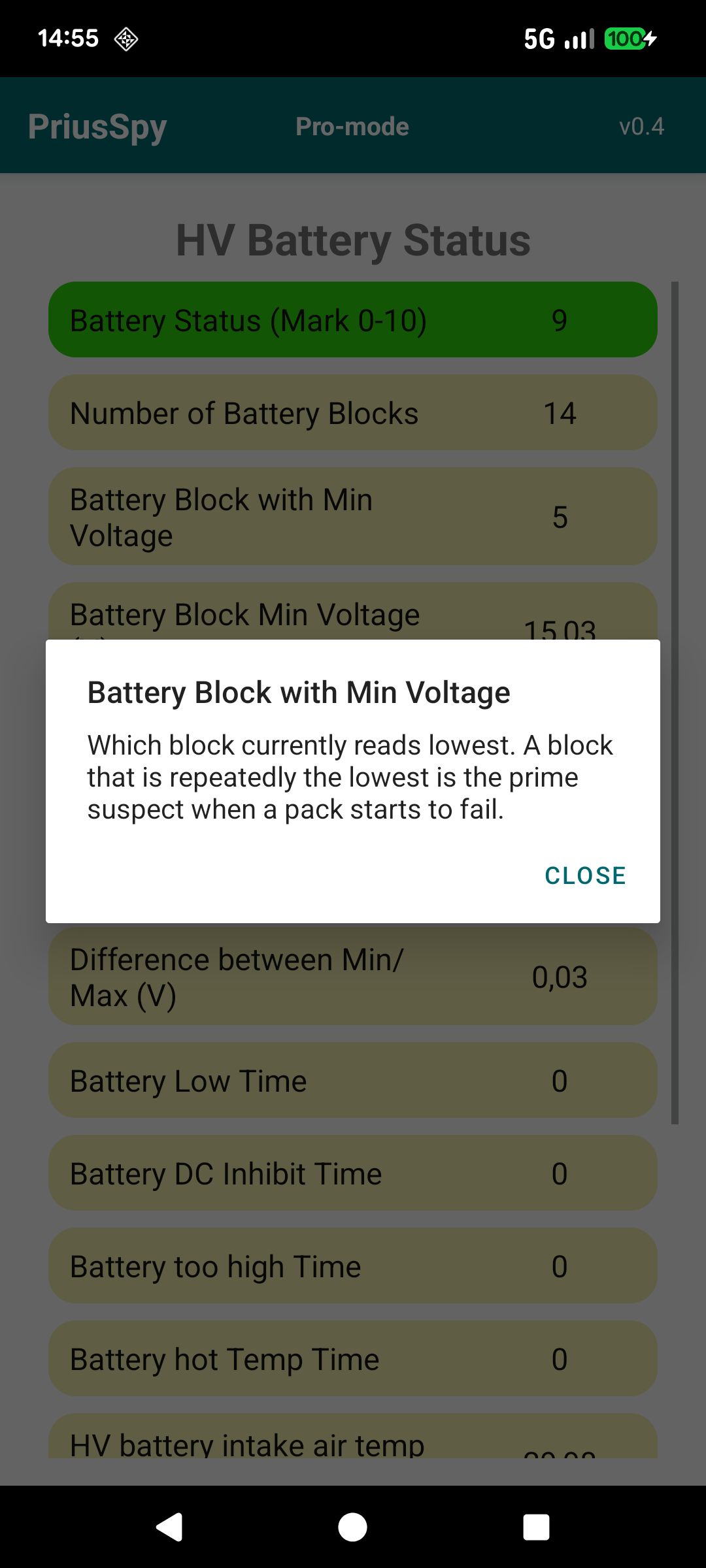
Every parameter in PriusSpy is tappable. Not sure what “Battery Block with Min Voltage” or “Inverter Coolant Temp” actually tells you? Tap the parameter's name and a clear pop-up explains what it indicates, its typical range and what you can learn from it — in plain language.
These explanations are available on every screen, in both the free and the Pro version, so you can always understand exactly what you are looking at — even on screens whose live values require Pro.

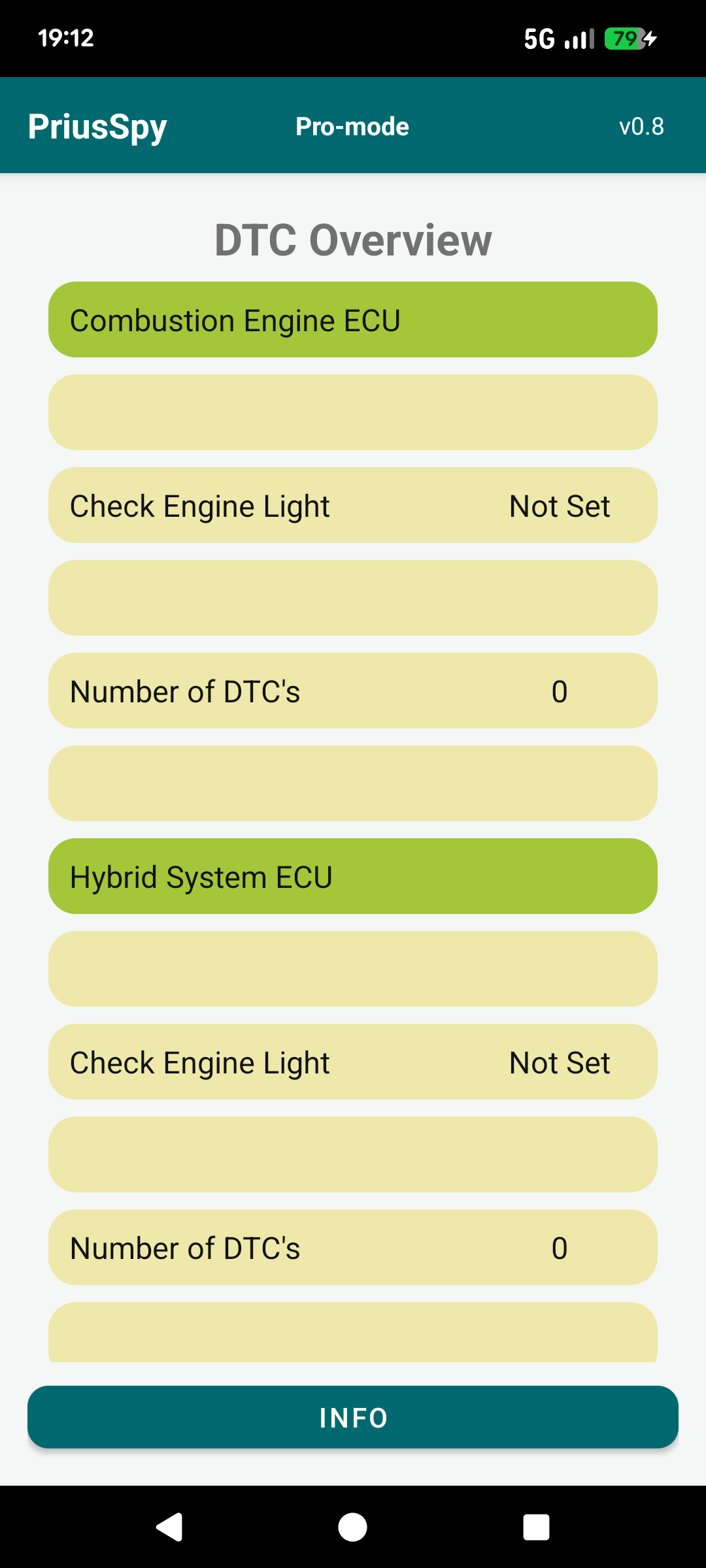
Read the Diagnostic Trouble Codes stored in the combustion-engine and hybrid-system ECUs, see whether the check-engine light is set, and get any codes decoded into a readable list.
This screen only reads and displays information — it does not change, clear or reset anything in the car.

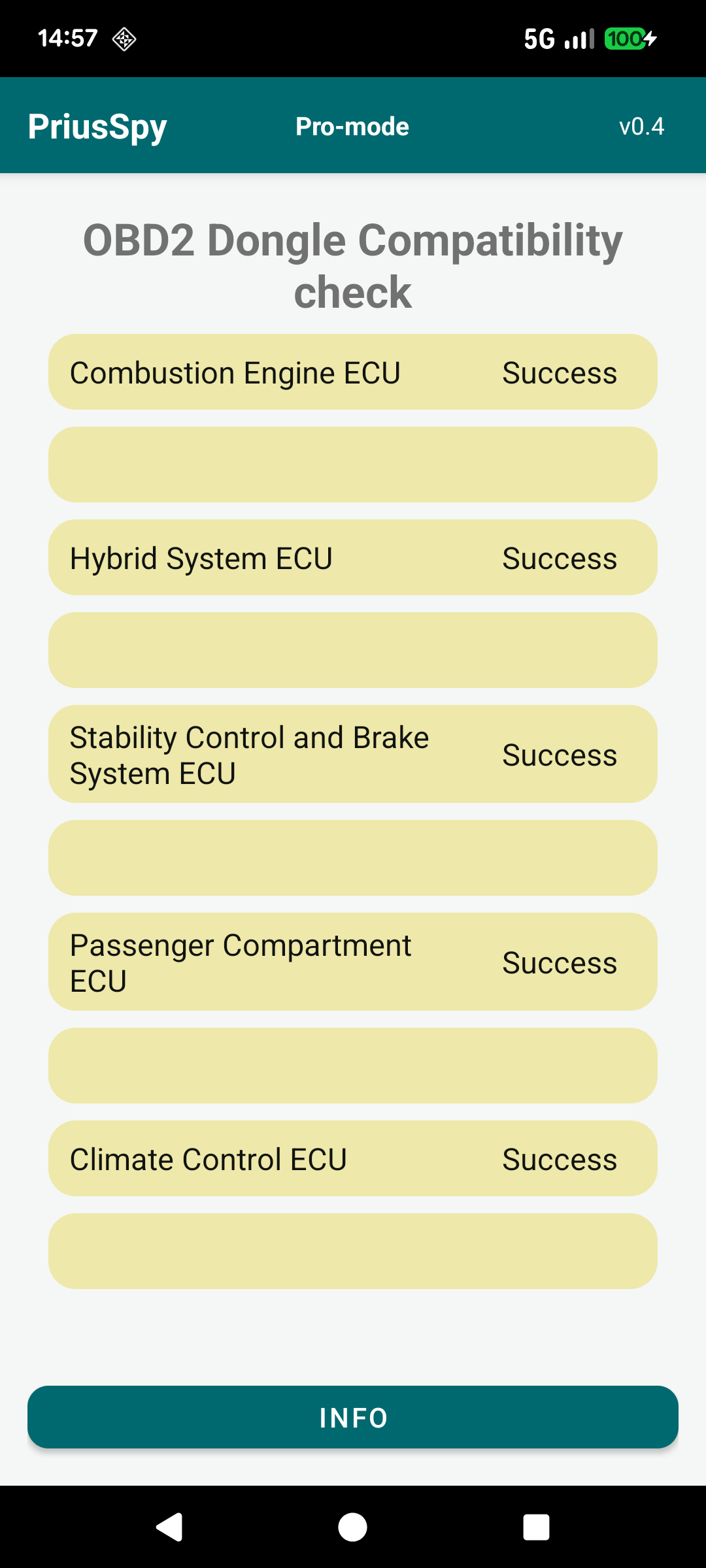
Not all cheap ELM327 dongles can reach every control unit in the Prius. This screen tests, one by one, whether your dongle can talk to the five relevant ECUs: combustion engine, hybrid system, stability/brake control, body and climate control.
If a reporting screen later shows no data, this check tells you whether your dongle is the reason — and it is part of the free version.
PriusSpy is free to download and try. The free version lets you fully use the most popular screens and learn what every parameter means; Pro unlocks the live values on all the remaining screens with a single one-time purchase.